A Leica BLK360 is the survey-grade gold standard for high-precision indoor as-builts. A Matterport produces the polished indoor digital twin that real-estate teams and facility managers depend on. Both are excellent at what they’re aimed at. Neither is designed for the case in the title of this post: a small or mid-size architecture firm running a pre-design site survey on a tight budget, with no specialist on staff, on a property that’s just as likely to be a hillside renovation as a single-floor interior.
This post is for that case. It explains where the BLK360 and Matterport excel, where they leave gaps for the tight-budget DIY 3D scanning user, and where a consumer 360° camera plus CupixVista fits the workflow better. It also says — honestly — when one of the other two is the right call instead.

Where the Leica BLK360 wins
The Leica BLK360 is a survey-grade time-of-flight laser scanner. It’s the right tool when:
- The project needs millimeter-class absolute accuracy on an indoor space within its ~60 m range.
- The budget already absorbs the $18K–$28K instrument purchase (or a $500–$1,000 per-day rental), plus a trained operator’s time.
- The deliverable is a high-precision point cloud for an engineering, forensic, or heritage workflow that has to defend its numbers to a third party.
- The scope is bounded indoor work where stationary multi-setup capture is acceptable.
For that case, no consumer 360° camera replaces a BLK360. The optics are different. The intended customer is different. Buy or rent the BLK360.
Where Matterport wins
A Matterport camera paired with the Matterport platform is built for indoor digital twins where the polished walkthrough is the deliverable itself:
- Real-estate marketing pages where the immersive tour drives the sale.
- Facility-management portfolios where stakeholders expect a consistent digital twin per location.
- Indoor retail, hospitality, and corporate spaces where the Matterport ecosystem and integrations are part of the requirement.
For that case, Matterport’s stop-and-shoot capture flow and finished tour aesthetic are excellent.
Where both leave gaps for DIY architects on a tight budget
Three gaps come up repeatedly in conversations with small and mid-size architecture firms.
Hardware cost and team friction
The BLK360 is a five-figure capital purchase. The Matterport Pro3 camera is $5,000+ before the Matterport platform subscription. Both assume the firm has someone trained to use them. For a twelve-person firm running a pre-design site survey on a renovation, neither line item fits the project economics.
Speed at large or outdoor sites
BLK360 scans are stationary multi-setup laser captures. A multi-acre property or a multi-story hospital lobby quickly multiplies into many scan stations that have to be registered together. Matterport’s stop-and-shoot 360° capture is faster per station but has the same multiplication problem at scale, and the platform’s strongest fit is indoor. Outdoor and large-site capture for an architect’s pre-design site survey often falls outside the optimization curve of either product.
The complete output set stakeholders actually want
A BLK360 produces a precise point cloud and a mesh. Matterport produces a polished navigable tour and a dollhouse view. The full set an architect’s stakeholders typically ask for — a navigable 360° tour, a 3D dollhouse, a measurable point cloud, and geo-tagged detail photos — usually requires either a high-dollar enterprise system or a combination of tools.
The DIY 3D scanning alternative: a consumer 360° camera + CupixVista
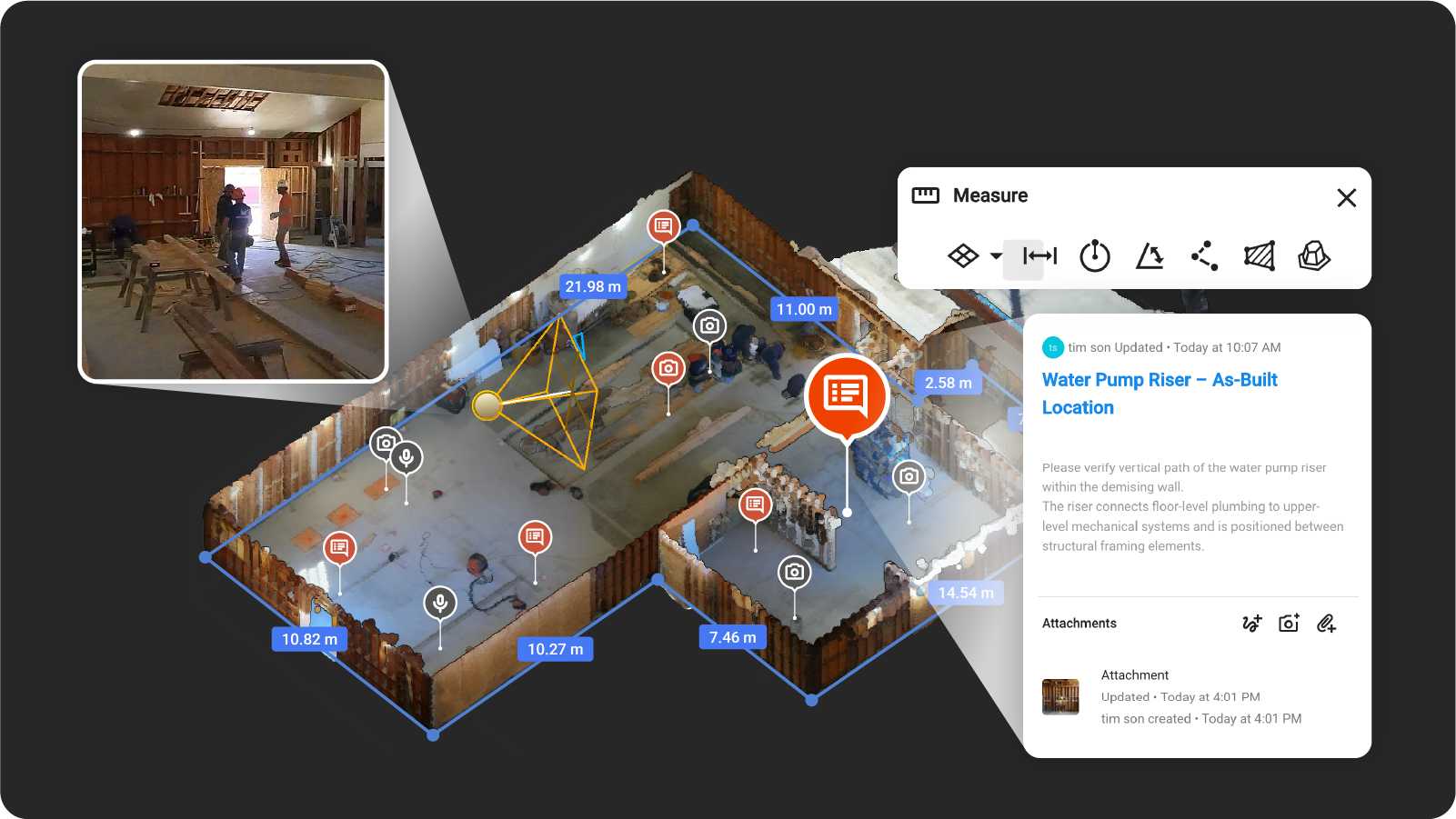
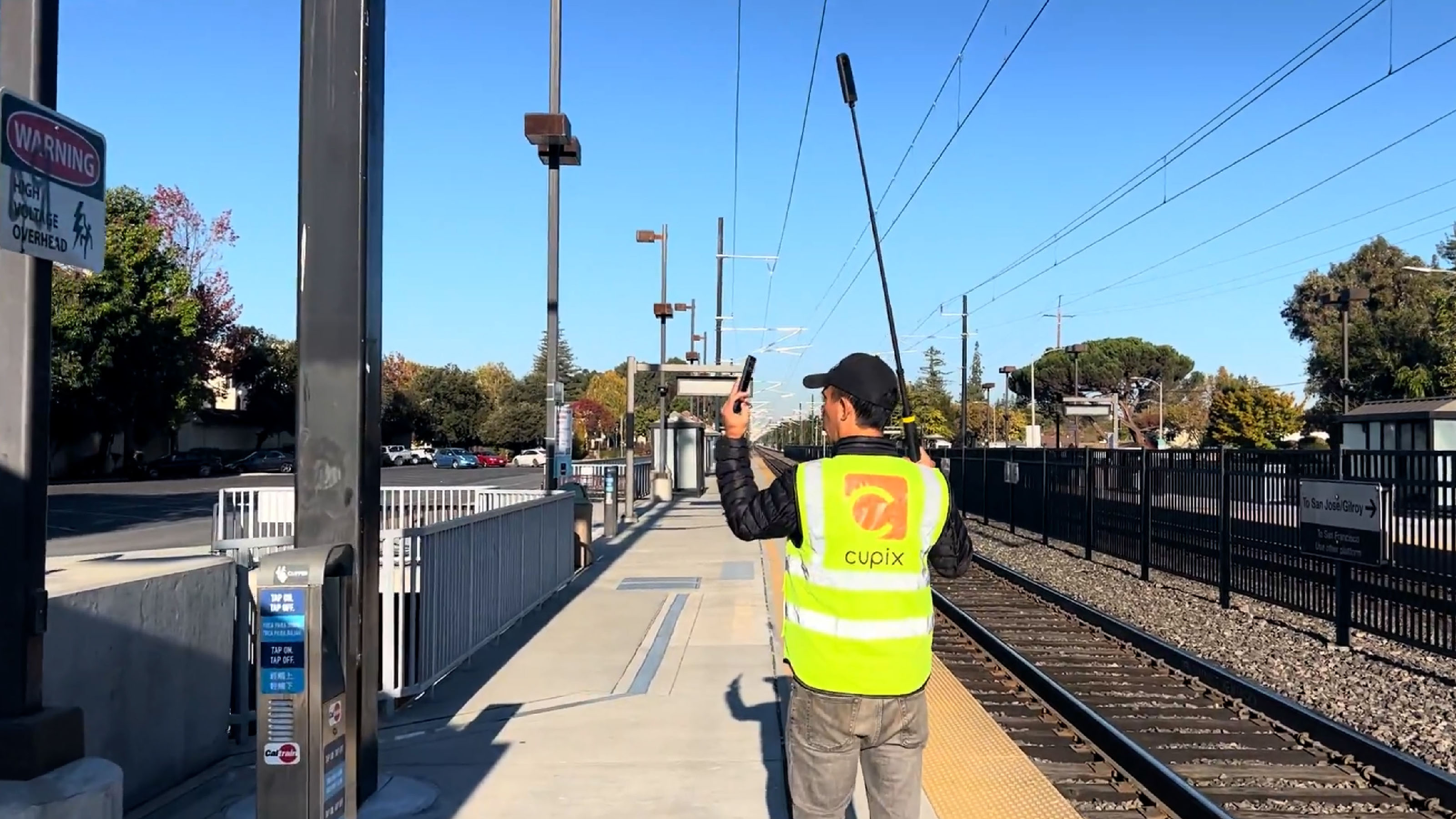
CupixVista takes a different premise. Instead of a narrow-FOV instrument that has to be aimed, or a tripod-based stop-and-shoot capture, the operator walks the site holding a supported consumer 360° camera. A SLAM engine turns the video into a 3D point cloud, a textured mesh, a navigable 360° virtual tour, and a 3D dollhouse map. The shift from active aiming to passive walking changes the workflow.
Hardware cost: $300–$1,200, not $5,000–$28,000
CupixVista works with five widely available consumer 360° cameras:
- Insta360 X5 (best performance)
- Insta360 X4
- Insta360 ONE X2
- Insta360 ONE RS 1-Inch 360 Edition
- Ricoh Theta X
Any team can buy one without going through procurement, and any team member can hold it.
Capture: walking, not setup-and-aim
A single operator walks the site with the camera. A 20-minute walk covers up to 60,000 sq ft (6,000 m²) — indoor, outdoor, or mixed. No tripod stations, no targets, no operator training. Mount the camera on a 10-foot pole and the reachable envelope grows to high atriums, two-story facades, and rooftops from ground level. Footage uploads through the VistaCapture mobile app; AI processing finishes in two to three hours.
Scale accuracy without RTK or ground control
CupixVista fuses video frames, the camera’s IMU (Inertial Measurement Unit) data, and the phone’s GPS. Outdoor segments are auto-detected to filter for reliable GNSS. Scale is recovered from the IMU signal, not from a manual ground-control workflow. Dimensions are typically within 1–2% of actual — schematic accuracy that’s right for pre-design site surveys, as-built documentation, and most scan-to-BIM handoffs, without the BLK360 price tag or the ground-control overhead of photogrammetry.
Output set: tour + dollhouse + point cloud + geo-tagged photos
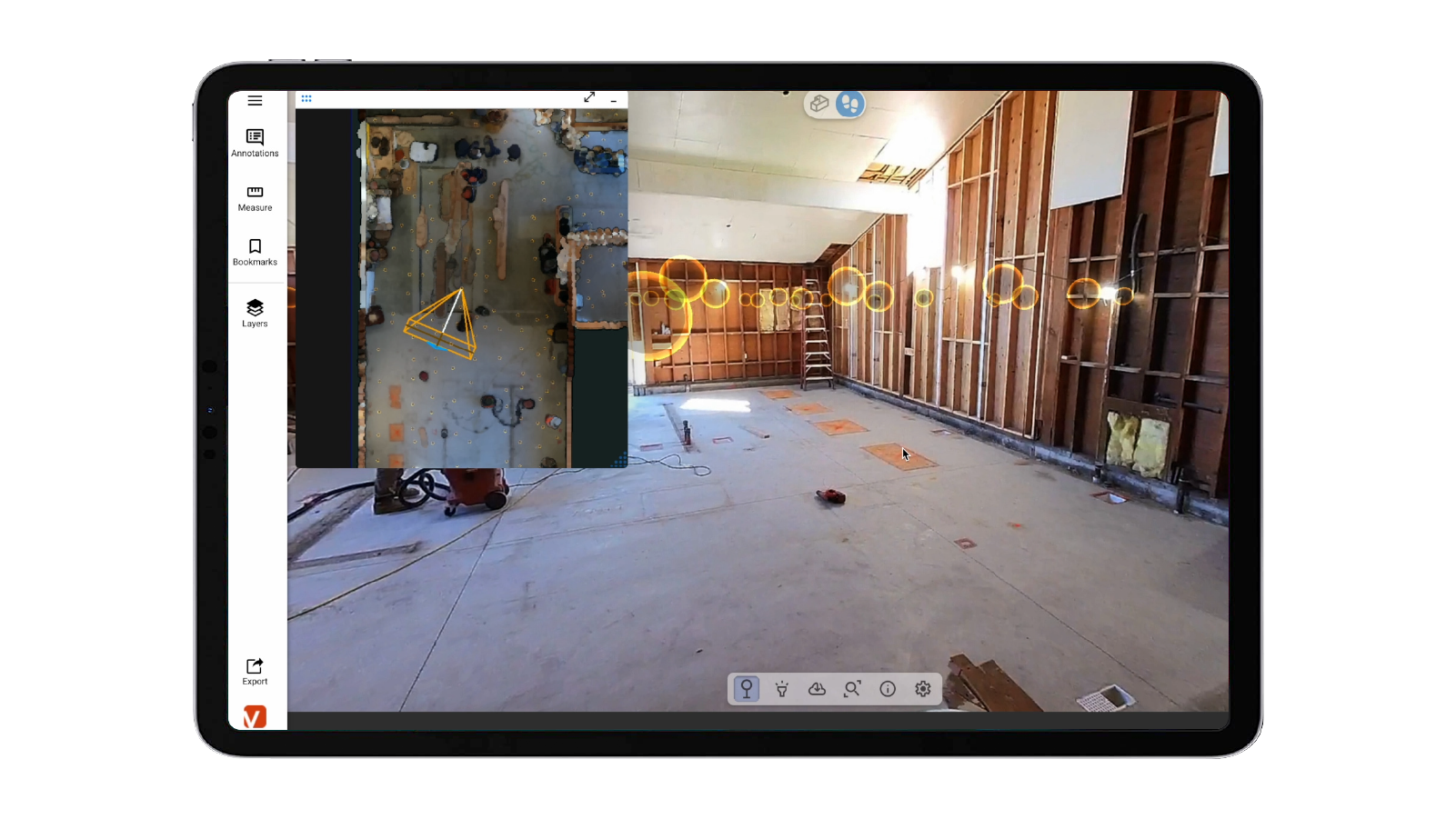
One walk produces all four:
- A navigable 360° virtual tour that owners and contractors actually open and click through.
- A 3D dollhouse-style map for spatial overview.
- A measurable point cloud, exportable to PLY, XYZ, or E57.
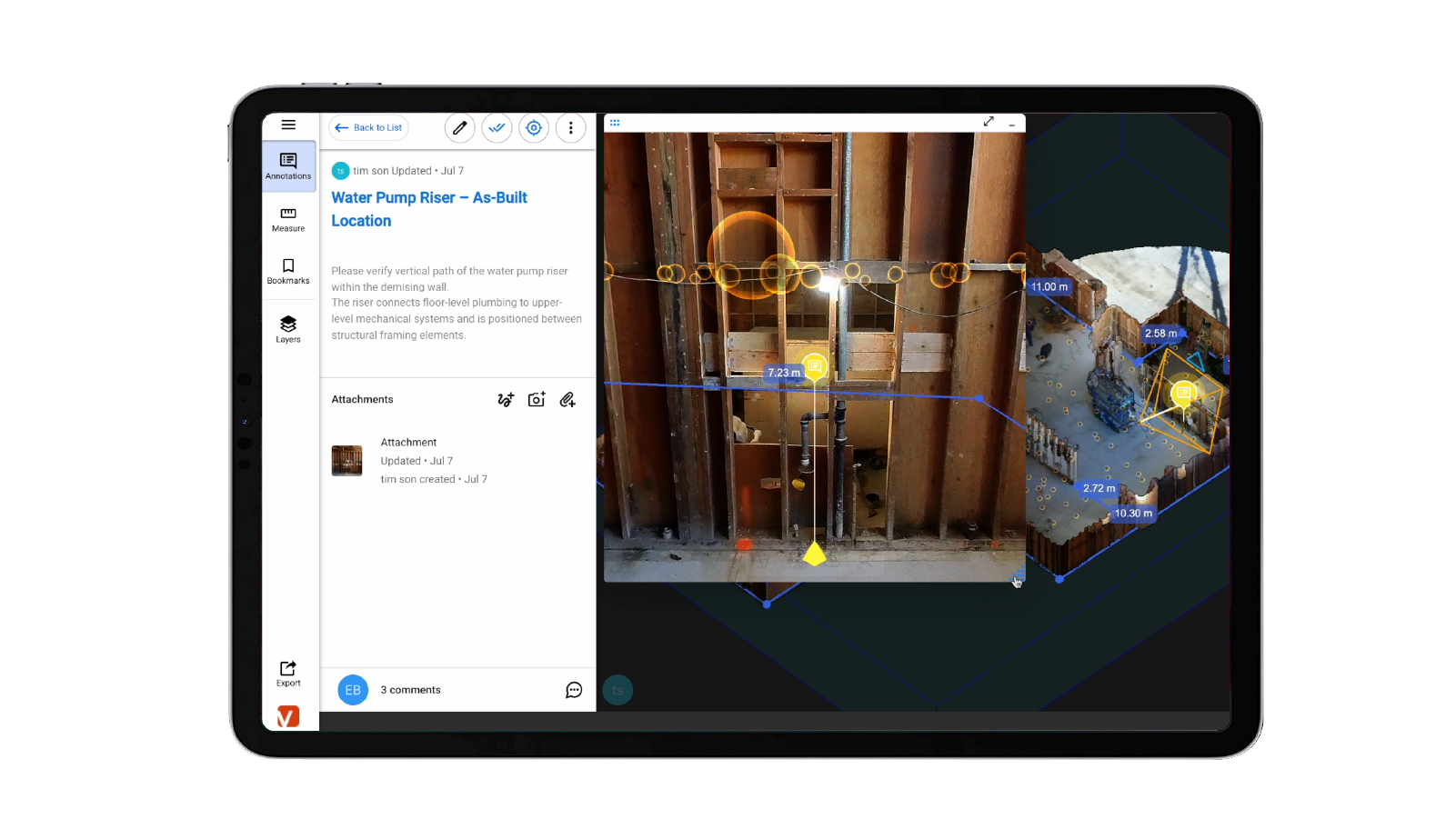
- OmniNote-tagged detail photos and voice notes pinned to the right point in the model — with AI text recognition for nameplates, signs, and serial numbers.
Scan-to-BIM with one click into Revit
A one-click Autodesk Revit plugin imports the point cloud directly into Revit, so the same capture that opened the design conversation becomes the spatial reference for the BIM model. Cupix service partners can also deliver finished BIM assets if the firm prefers to outsource the modeling.
Comparison at a glance
Leica BLK360
- Hardware: $18K–$28K instrument, or $500–$1K per-day rental.
- Operator: 1–2 days of specialist training.
- Capture style: Stationary multi-setup laser scans.
- Best for: Indoor work within ~60 m range, survey-grade accuracy, forensic and structural projects.
Matterport Camera and Platform
- Hardware: $5K+ camera plus ongoing subscription.
- Operator: Light training, single user.
- Capture style: Stationary stop-and-shoot 360°.
- Best for: Indoor digital twins for real estate, facility management, retail.
Consumer 360° camera + CupixVista
- Hardware: $300–$1,200 camera, no subscription minimum on the entry plan.
- Operator: None — anyone can walk a camera.
- Capture style: Continuous 360° video, indoor and outdoor.
- Best for: Tight-budget DIY 3D scanning for pre-design site surveys, as-built documentation, scan-to-BIM handoffs, asset condition monitoring.
An architect’s pre-design site survey, end to end
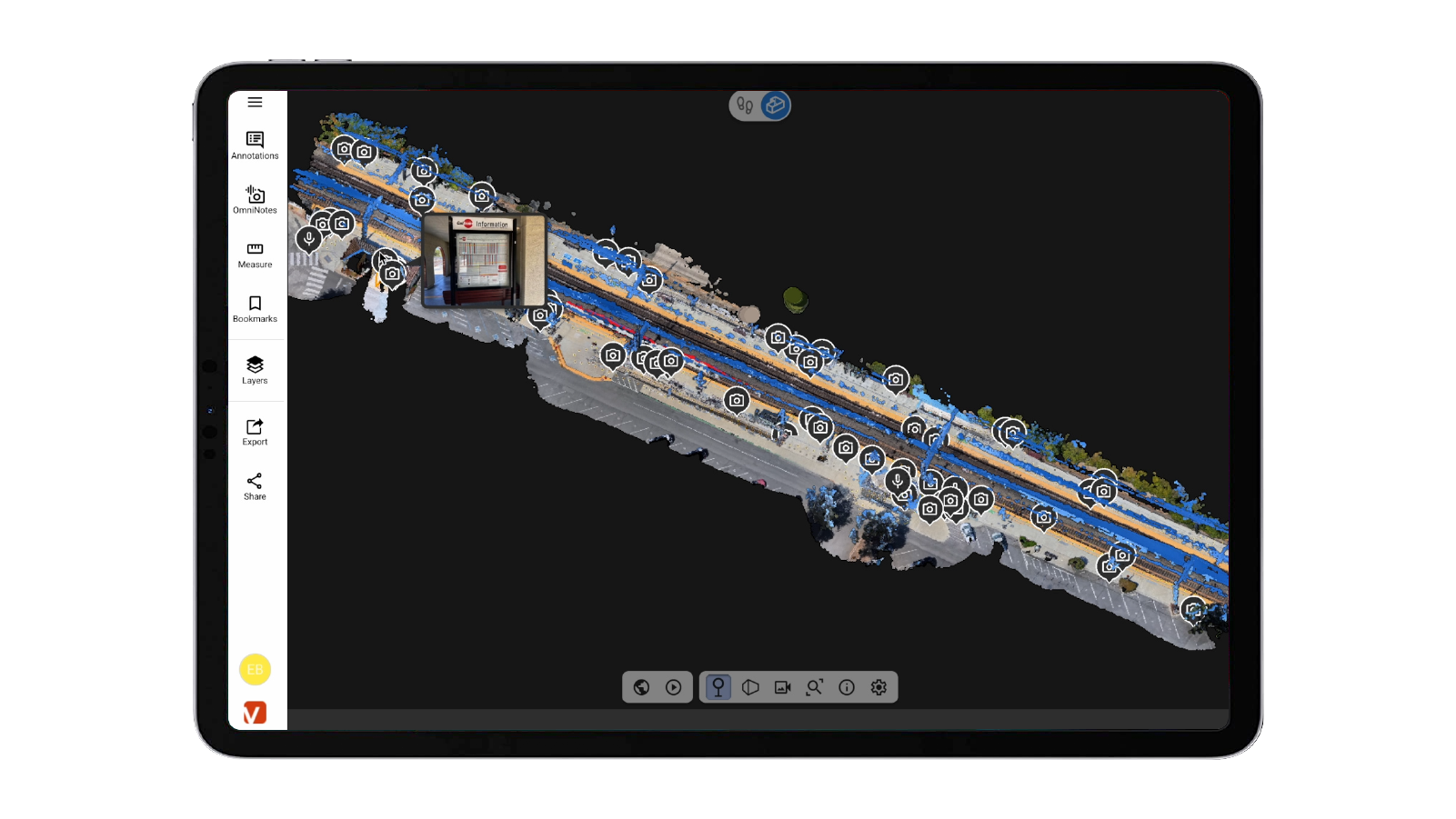
- Walk the site with a supported 360° camera. Use OmniNote on a phone for high-resolution detail photos and voice notes.
- Upload through the VistaCapture app. AI processing typically completes in 2–3 hours.
- Open the project in a browser or VistaPoint. Measure distances, areas, and volumes. Run an elevation heatmap. Walk the 360° tour or fly the 3D dollhouse. Drop annotations anchored to the exact point in the model.
- Invite owners, contractors, and consultants to the shared project. Firms report up to 83% travel-cost reduction and 24× faster site analysis compared to traditional photo-and-note documentation.
- Export the point cloud to PLY, XYZ, or E57. One-click import into Autodesk Revit through the CupixVista plugin for scan-to-BIM.
When to choose which
The honest decision rule:
- Choose the Leica BLK360 when the project’s accuracy floor is millimeter-class, the budget supports it, and the scope is bounded indoor work. Survey-grade is what survey-grade is.
- Choose Matterport when the deliverable is a finished, polished indoor digital twin, the workflow is real-estate or facility management, and the Matterport ecosystem (integrations, hosting, brand recognition with end clients) is core to the deliverable.
- Choose a 360° camera + CupixVista when the project is a pre-design or as-built site survey for an architectural firm, the team needs the full output set (tour + dollhouse + point cloud + geo-tagged photos) without a five-figure capital cost, the site is indoor and/or outdoor, and the workflow has to be doable by anyone on the team.
FAQ
How does CupixVista’s accuracy compare to a Leica BLK360?
The BLK360 is survey-grade with millimeter-class point accuracy. CupixVista delivers schematic accuracy typically within 1–2% of actual measurements, using the camera’s IMU and the phone’s GPS for outdoor scale, without RTK hardware or ground control points. For a pre-design site survey, an as-built record, or a scan-to-BIM handoff, schematic accuracy is the right fit. For forensic, structural, or heritage projects with millimeter tolerance requirements, use the BLK360.
What does a Leica BLK360 or Matterport workflow cost compared to CupixVista?
Roughly: BLK360 purchase $18K–$28K, daily rental $500–$1,000. Matterport Pro3 camera ~$5,000+, plus ongoing platform subscription. A supported consumer 360° camera for CupixVista runs $300–$1,200 one-time, with software pricing on the CupixVista pricing page. For a small or mid-size firm running pre-design surveys on a per-project basis, the order-of-magnitude difference matters.
Can I import CupixVista output into Revit?
Yes. A one-click Autodesk Revit plugin imports the point cloud directly into Revit for scan-to-BIM workflows. Standard exports (PLY, XYZ, E57) also work for other modeling and CAD pipelines.
Does CupixVista work outdoors and on large sites?
Yes — outdoor and large-area capture is one of the cases CupixVista is specifically built for. A 20-minute walk covers up to 60,000 sq ft, indoors or outdoors. The camera can be mounted on a 10-foot pole for two- and three-story facades, rooftops from ground level, and hard-to-reach terrain. Outdoor segments are auto-detected and use the phone’s GPS for geolocation.
Which 360° cameras work with CupixVista?
Insta360 X5 (best performance), Insta360 X4, Insta360 ONE X2, Insta360 ONE RS 1-Inch 360 Edition, and Ricoh Theta X. See Get Started for setup instructions.
Try it on a real project
If a pre-design site survey, as-built capture, or scan-to-BIM handoff is on the next two weeks of your calendar, the lowest-friction way to see whether DIY 3D scanning fits the project is to run a single capture and compare it to what you’d normally produce.
Start at Get Started for camera setup and a tutorial, browse the FAQs for common architect questions, or read the companion post on choosing a 3D scanning method for an as-built site survey for a broader method comparison.